

Documentation Index
Fetch the complete documentation index at: https://docs.lindy.ai/llms.txt
Use this file to discover all available pages before exploring further.
Quick Overview
With the Email Negotiator flow, your agent will:- Monitor your inbox for pricing or partnership inquiries
- Query a rich knowledge base for rates, packages, and policies
- Respond in your brand voice with accurate info
- Negotiate back-and-forth until a deal is closed or lost
- Escalate edge cases or wins straight to you via Slack
Setting Up Your Negotiator
Step 1: Connect the Trigger
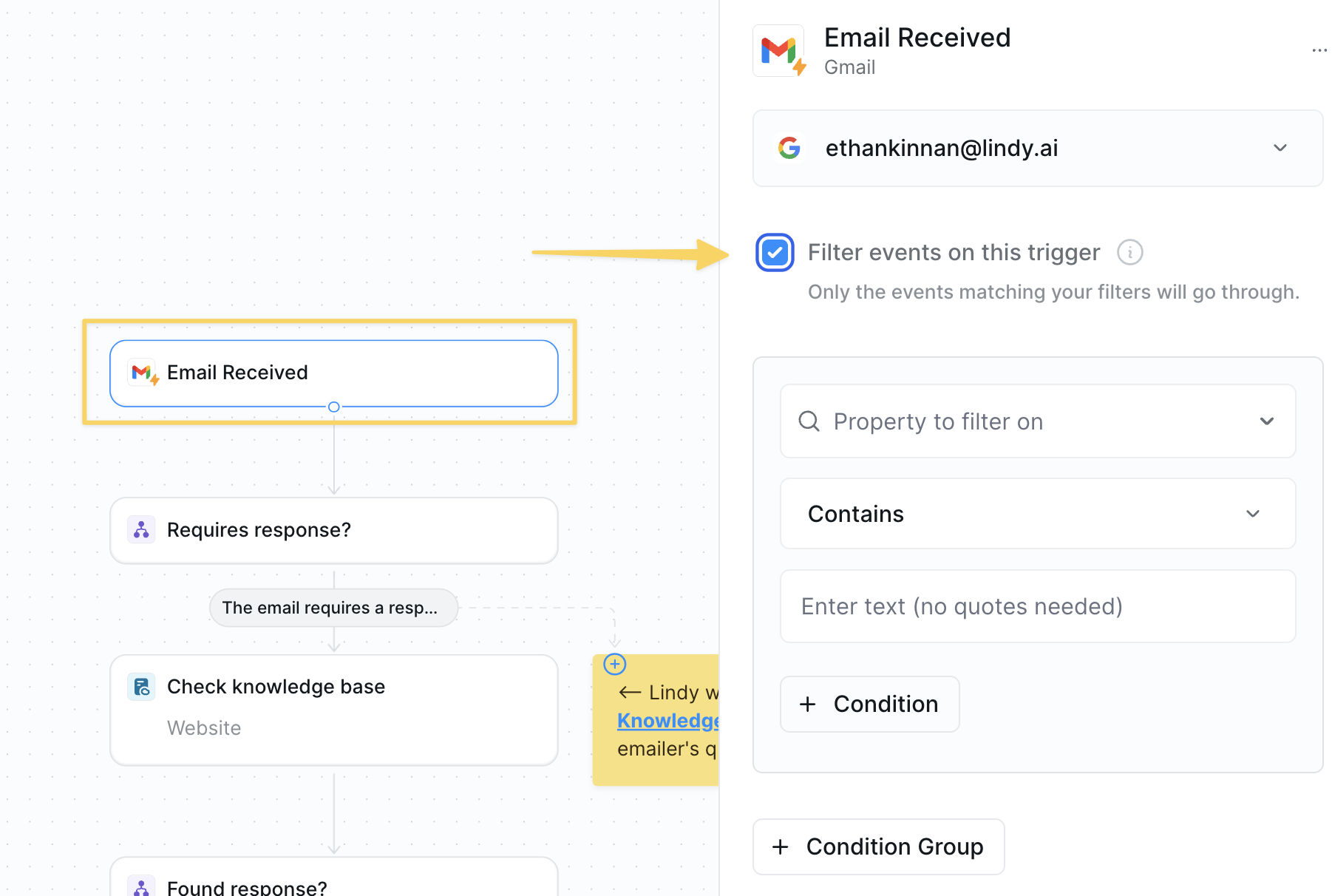
- Use
Gmail – Email Receivedas the trigger. - Add filters to ignore internal threads or newsletters.
Step 2: Gate with a Condition
Filter out irrelevant emails early to avoid wasting resources on messages that don’t need negotiation.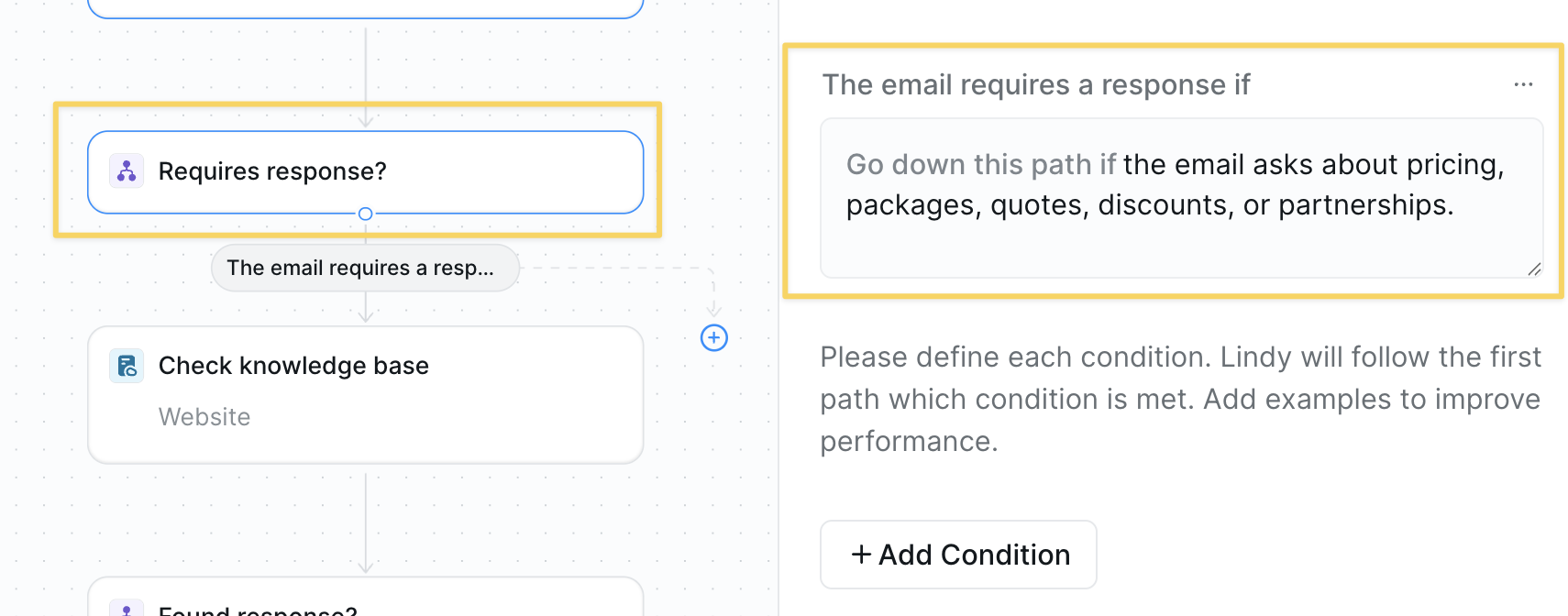
Condition prompt:
Step 3: Build the Knowledge Base
Create a central repository of pricing and policy information so your agent can provide accurate, consistent responses.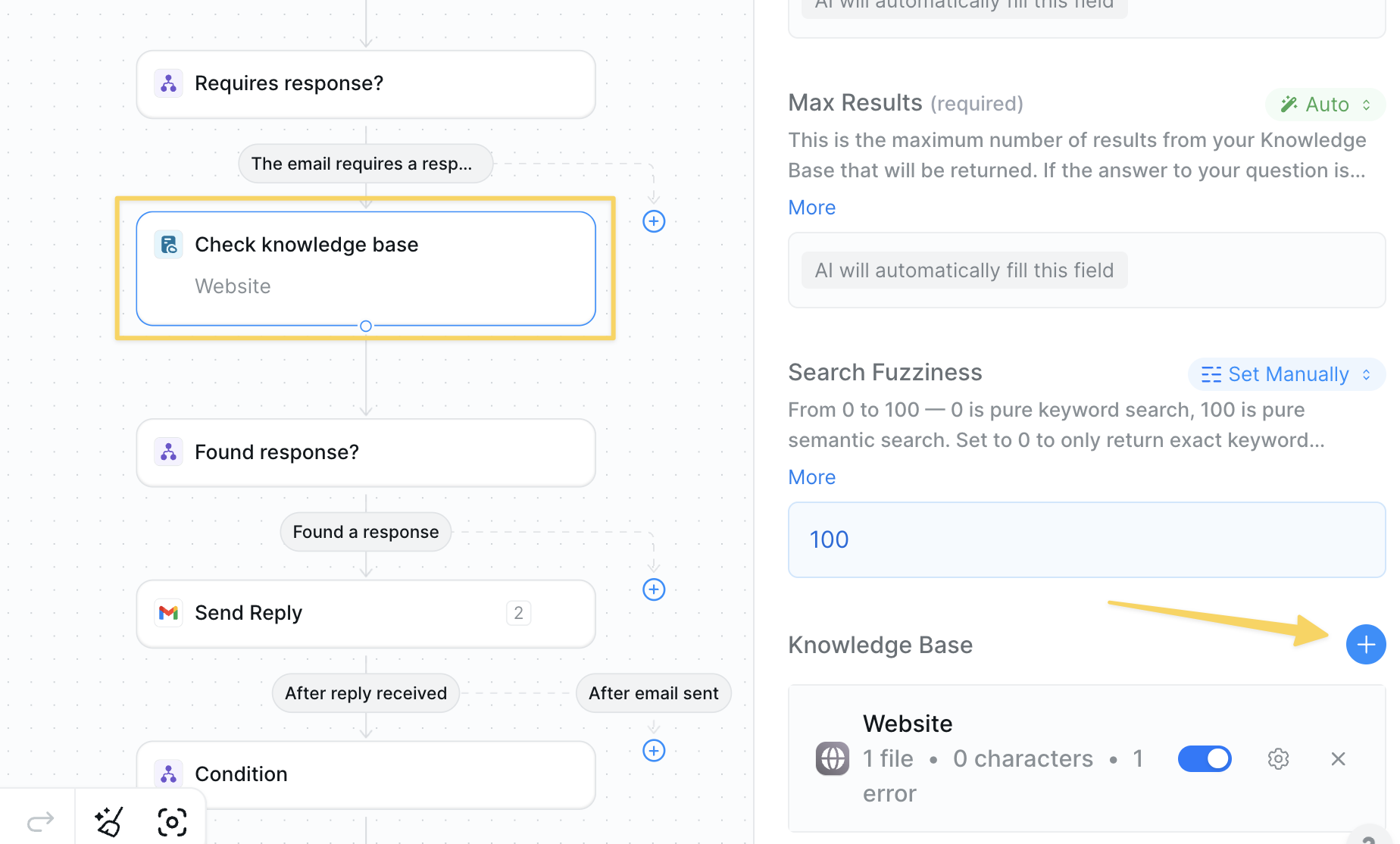
- Action:
Search Knowledge Base - Upload FAQs, rate cards, discount policies, and negotiation guidelines.
- Connect CRM or Google Docs as needed.
Step 4: Verify an Answer Exists
Check if we have the information needed to respond before attempting to negotiate, preventing unhelpful responses.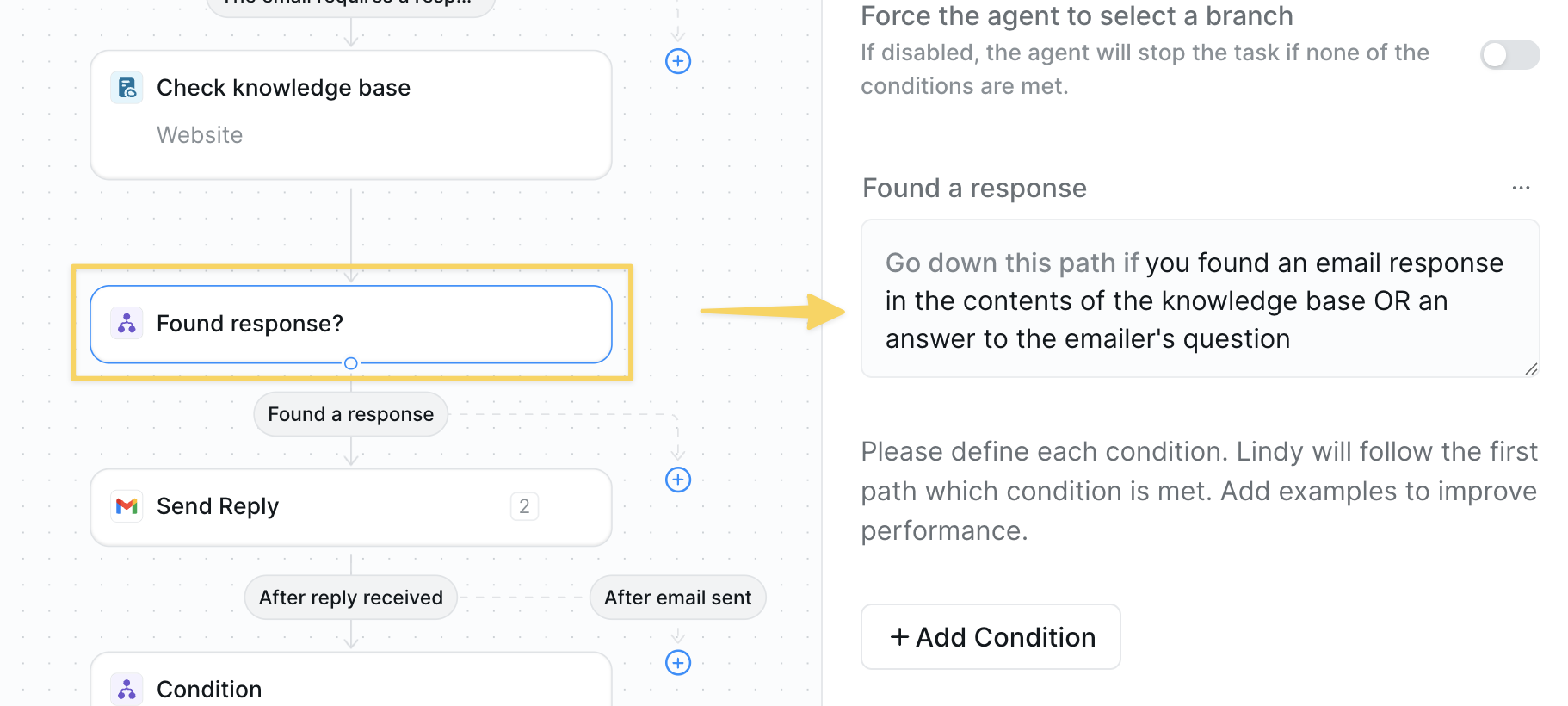
Step 5: Send the First Reply
Provide an initial response with relevant information to begin the negotiation process professionally.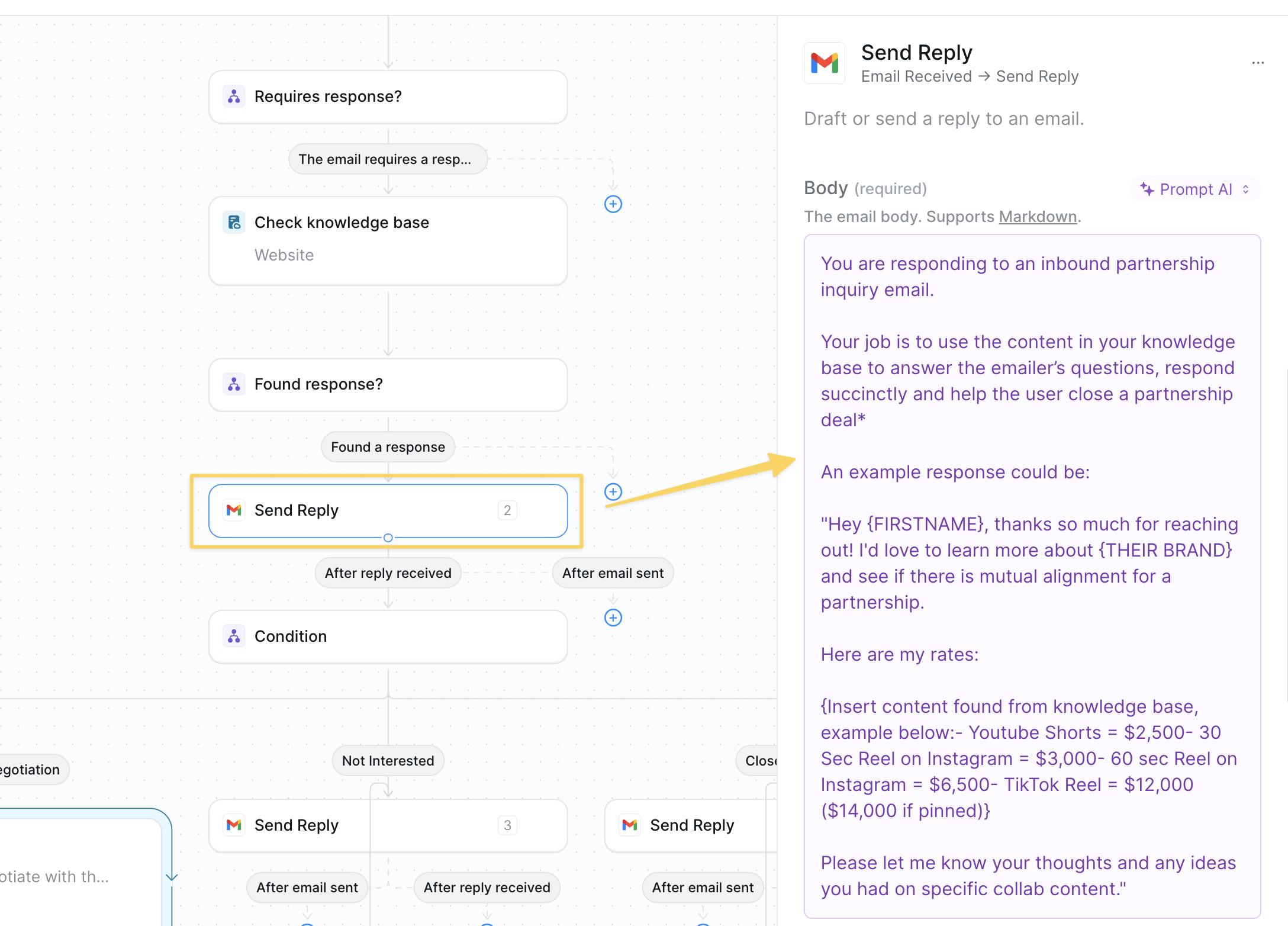
Step 6: Branch on Response Type
Categorize the prospect’s response to determine the appropriate next action in the negotiation flow.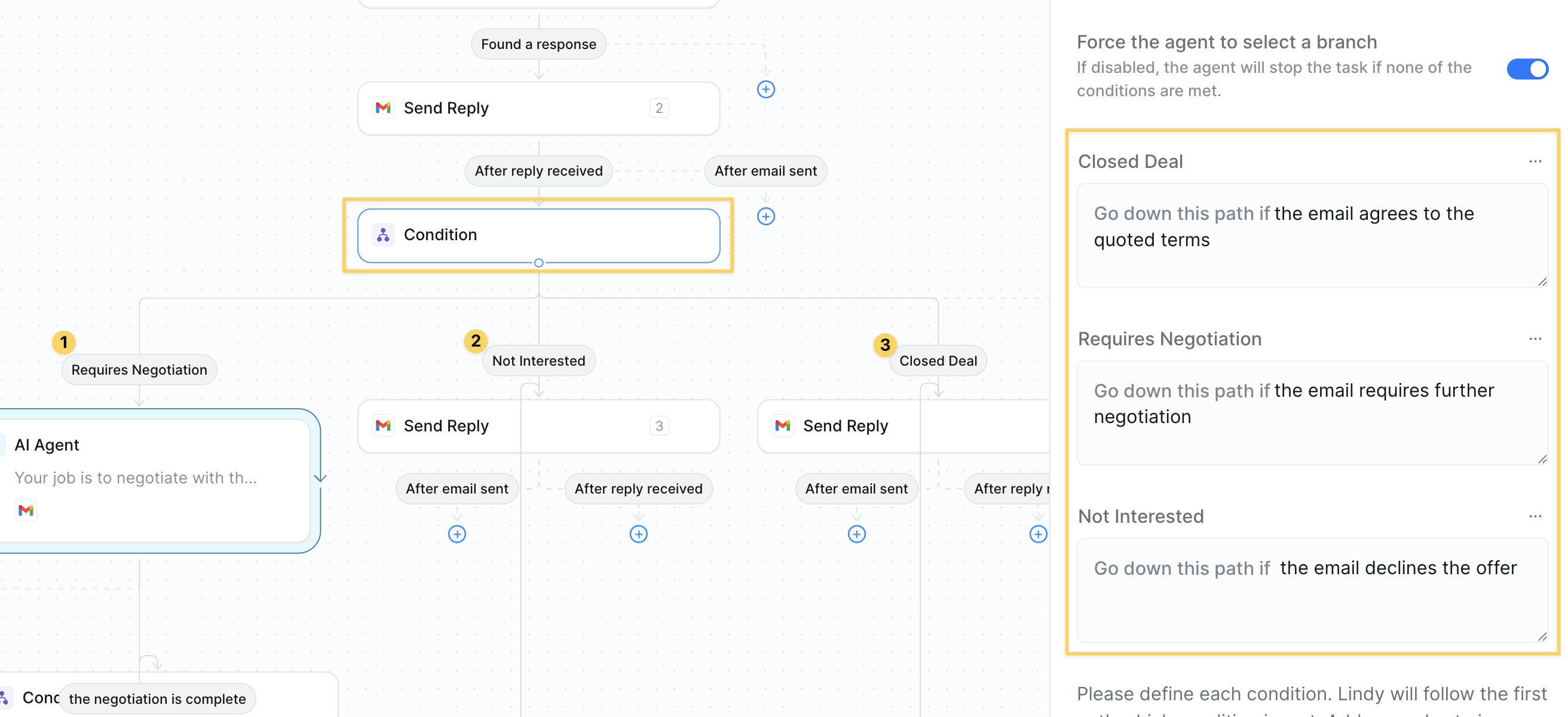
Condition:
| Path | Prompt snippet |
|---|---|
| Requires Negotiation | the email requires further negotiation |
| Closed Deal | the email agrees to the quoted terms |
| Not Interested | the email declines the offer |
Step 7: AI Agent for Negotiation
Deploy an AI agent to handle back-and-forth negotiations automatically while staying within your guidelines.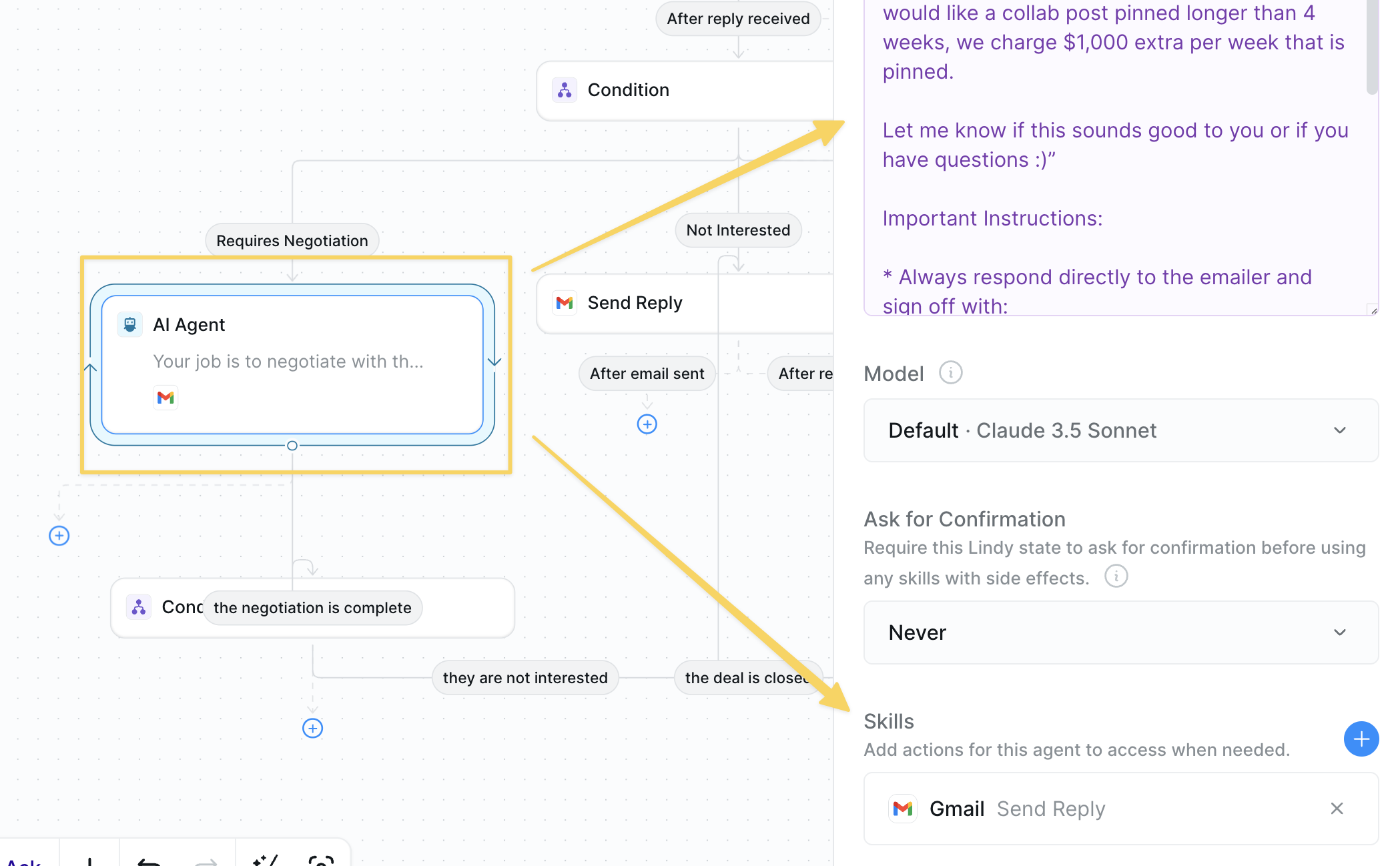
- Under Requires Negotiation, insert
AI Agentwith skills:Gmail – Send Reply. - Example prompt:
Step 8: Close the Loop
Finalize the negotiation outcome after it is complete and send them to the correct path whether or not the deal was closed.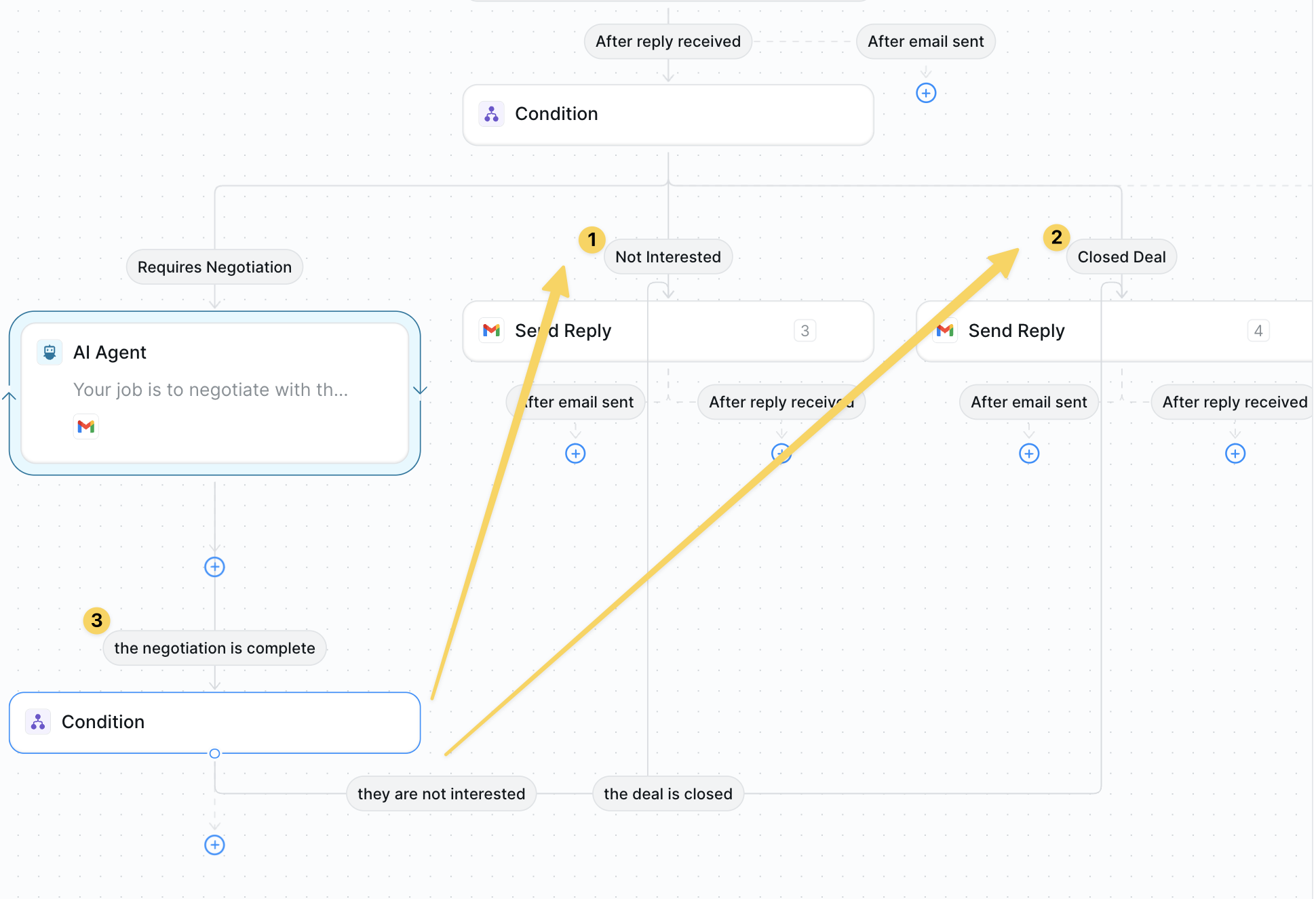
- Closed Deal →
Gmail – Send Replyconfirming terms and next steps. - Not Interested → polite thank-you reply.
- Both paths →
Slack – Send DMto alert your team.
Advanced Customizations
| Trick | What it does |
|---|---|
| Dynamic Discount | Offer tiered discounts based on deal size pulled from the email. |
| Sentiment Monitor | Escalate to human if tone becomes negative or urgent. |
| CRM Update | Create/advance opportunities in HubSpot or Salesforce automatically. |
Best Practices
Keep KB Current
Keep KB Current
Refresh rate cards and policies regularly to avoid outdated offers.
Human Escalation
Human Escalation
Route complex legal or enterprise deals to a rep early.
Tone Matching
Tone Matching
Include sample emails in the KB so your agent mirrors your brand voice.
Next Steps
Multi-Channel Outbound
Warm up leads before they inquire
Lead Enrichment
Fill gaps before negotiating
Gmail Integration
Advanced email automation for negotiations
Human in the Loop
Add approval steps for deal terms