

Documentation Index
Fetch the complete documentation index at: https://docs.lindy.ai/llms.txt
Use this file to discover all available pages before exploring further.
Overview
Lindy Meeting Recorder joins your meetings, records them, transcribes conversations, and sends you comprehensive notes with action items — all automatically.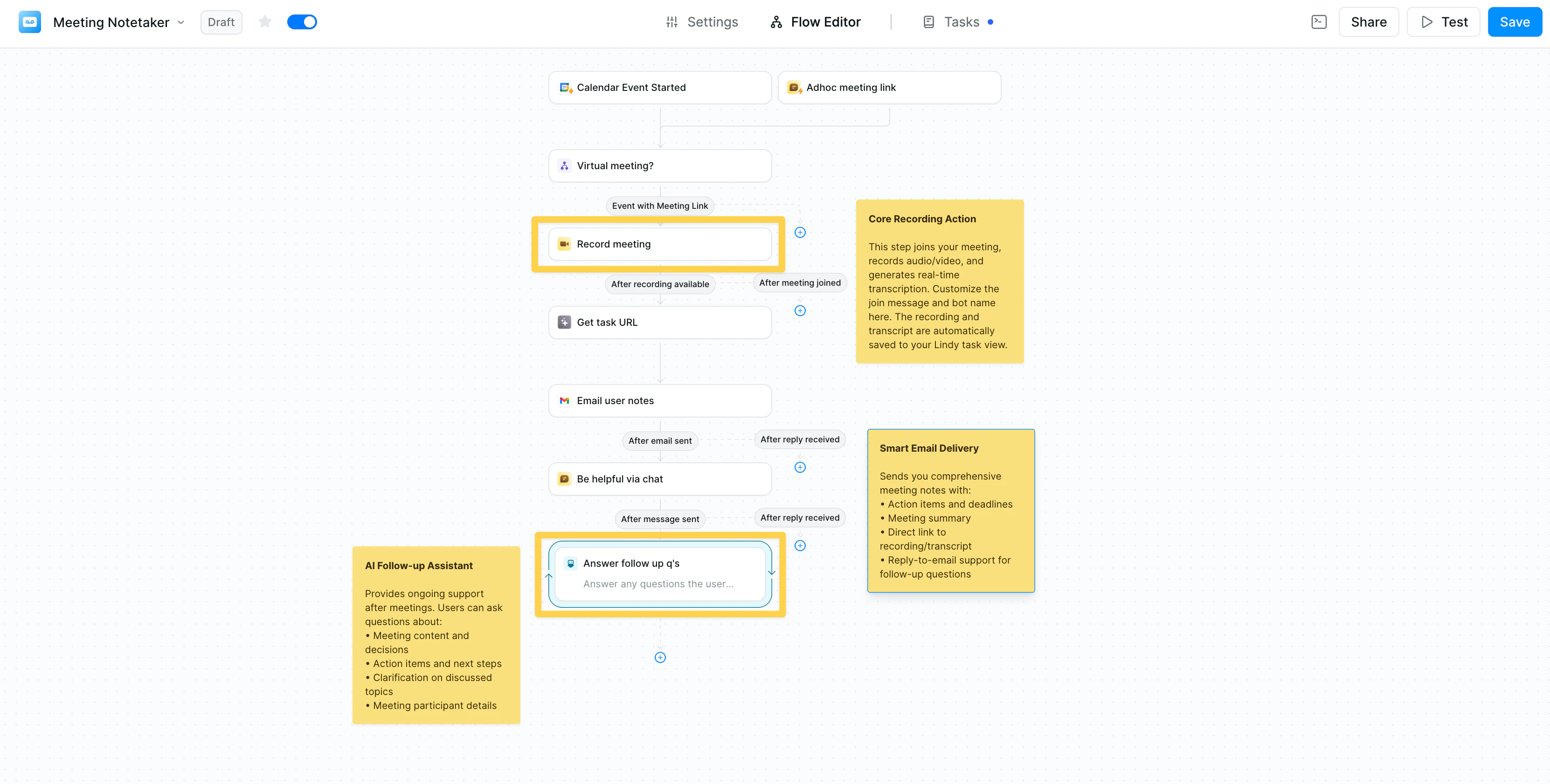
How It Works
The input is a virtual meeting link. When set to auto, it’ll join automatically when any Google Meet, Zoom, or Microsoft Teams link is in its context. Below is how a Lindy with theMeeting Recorder is usually structured:
1. Calendar Event Trigger
- Activates before scheduled meetings
- Filters for specific meeting types (optional)
2. Record Meeting Action
When it finds a virtual meeting link, your agent automatically joins and you’ll see two execution paths:- After meeting starts: Immediate actions during the meeting
- After meeting ends: Post-meeting processing with full transcript access
3. Post-Meeting Actions
After the meeting ends, you can:- Send a summary via Slack or email
- Set up an AI follow-up assistant to answer questions
- Save recordings and transcripts wherever you want
- Click into your task to view the recording and transcript
Common Use Cases
- Sales Calls — Capture notes and CRM updates
- Recruiting — Document interviews and candidate feedback
- Team Meetings — Track action items and decisions
- Client Meetings — Generate professional summaries
Related Resources
Google Calendar
Set up calendar connections
Field Configuration
Customize email outputs
Agent Steps
Configure follow-up assistants
Knowledge Base
Store meeting insights