

Documentation Index
Fetch the complete documentation index at: https://docs.lindy.ai/llms.txt
Use this file to discover all available pages before exploring further.
You can use the weekly competitor analysis template to get started.
Quick Overview
Automate competitor tracking across social media and company announcements. Your agent will:- Monitor competitors across all major platforms weekly
- Analyze their latest posts, product releases, and content strategies
- Track engagement patterns and emerging trends
- Compile weekly reports with findings and insights
- Alert your team to new launches and company updates
Setting Up Your Competitor Tracking
Step 1: Weekly Analysis Trigger
Set up automatic weekly competitor analysis to track their latest activity.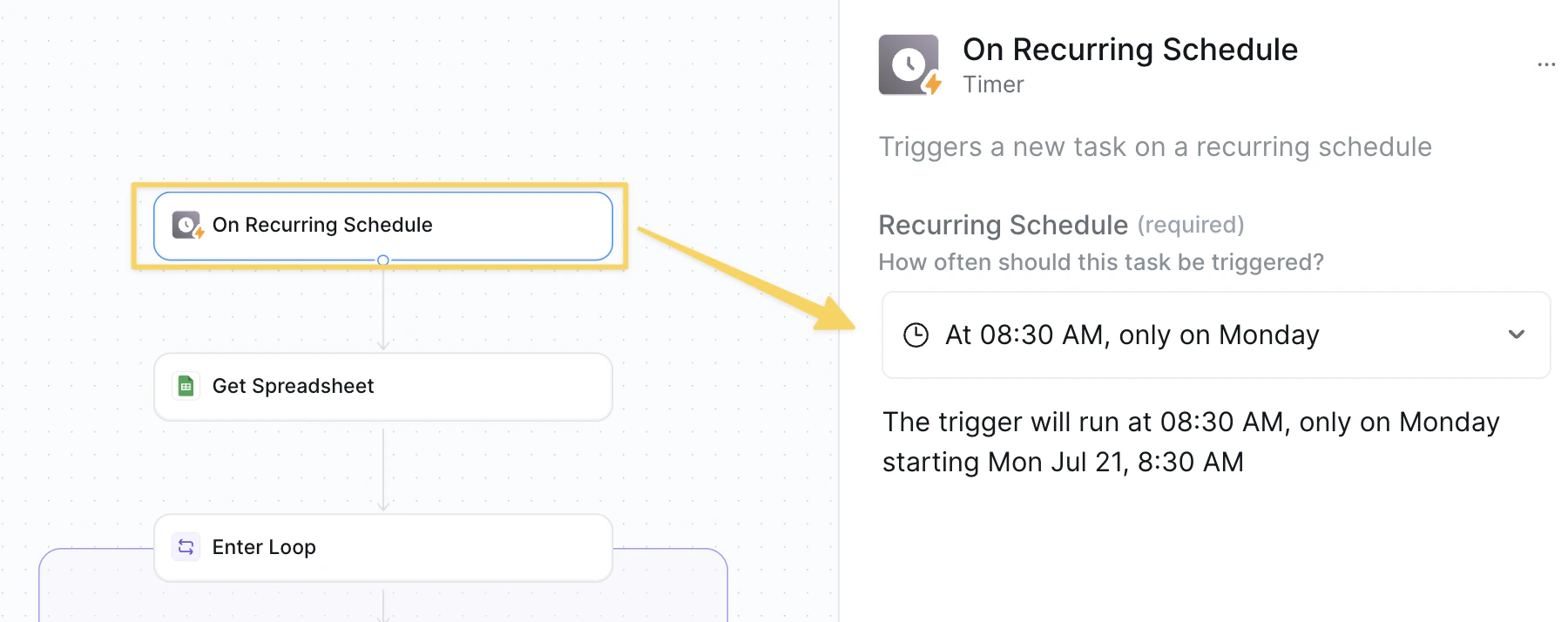
On Recurring Schedule set to weekly (e.g., Monday 8:30 AM).
Step 2: Get Competitor Directory
Retrieve your competitor tracking spreadsheet with all platform URLs for comprehensive analysis.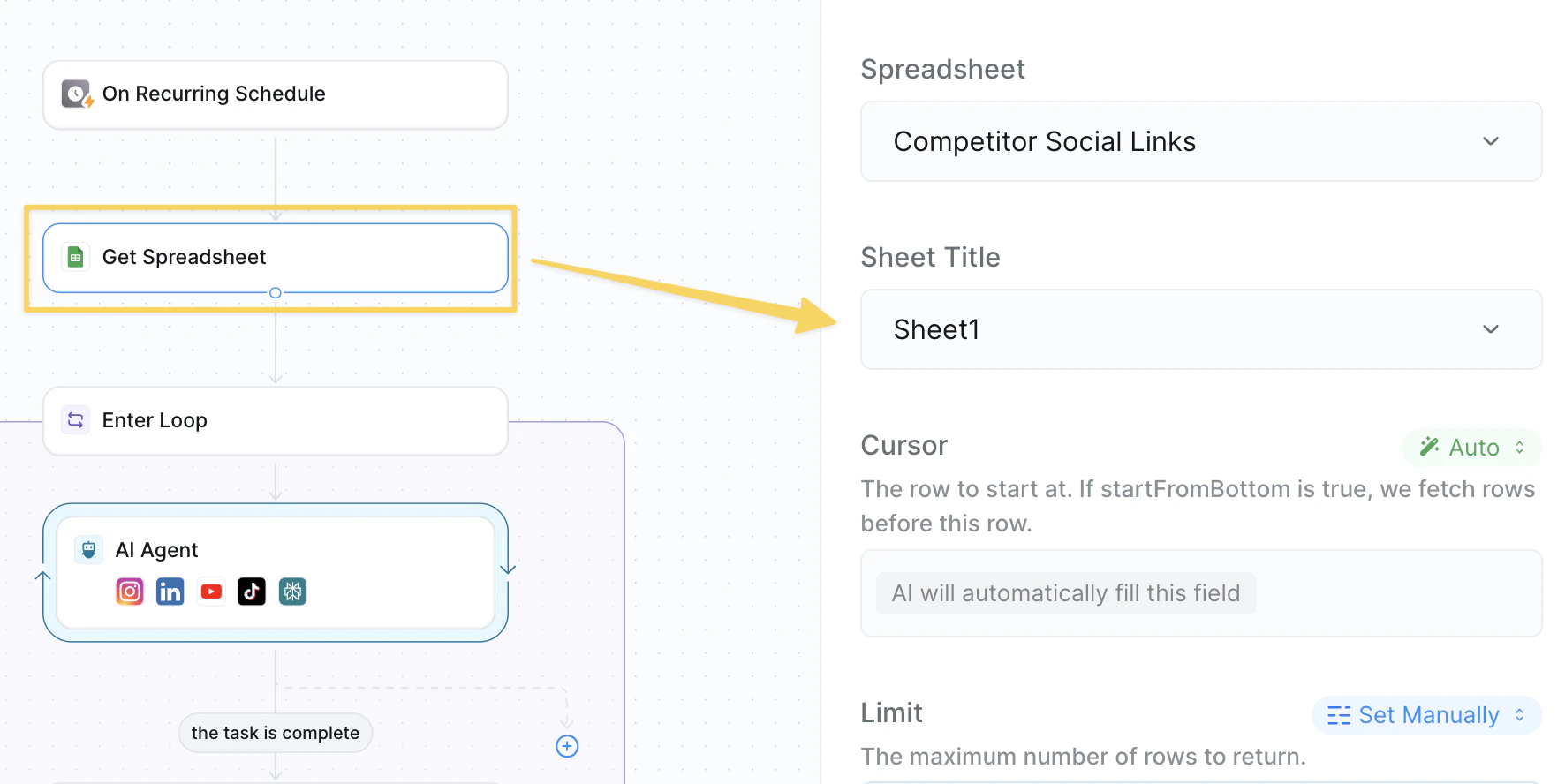
Google Sheets – Get Spreadsheet from your competitor tracking sheet.
Required columns:
- Competitor Name: Company name for reporting
- Website: Main company website URL
- LinkedIn URL: LinkedIn company page
- YouTube URL: YouTube channel link
- TikTok URL: TikTok profile link
- Instagram URL: Instagram business account
Step 3: Start Competitor Analysis Loop
Begin processing each competitor individually for cross-platform content analysis.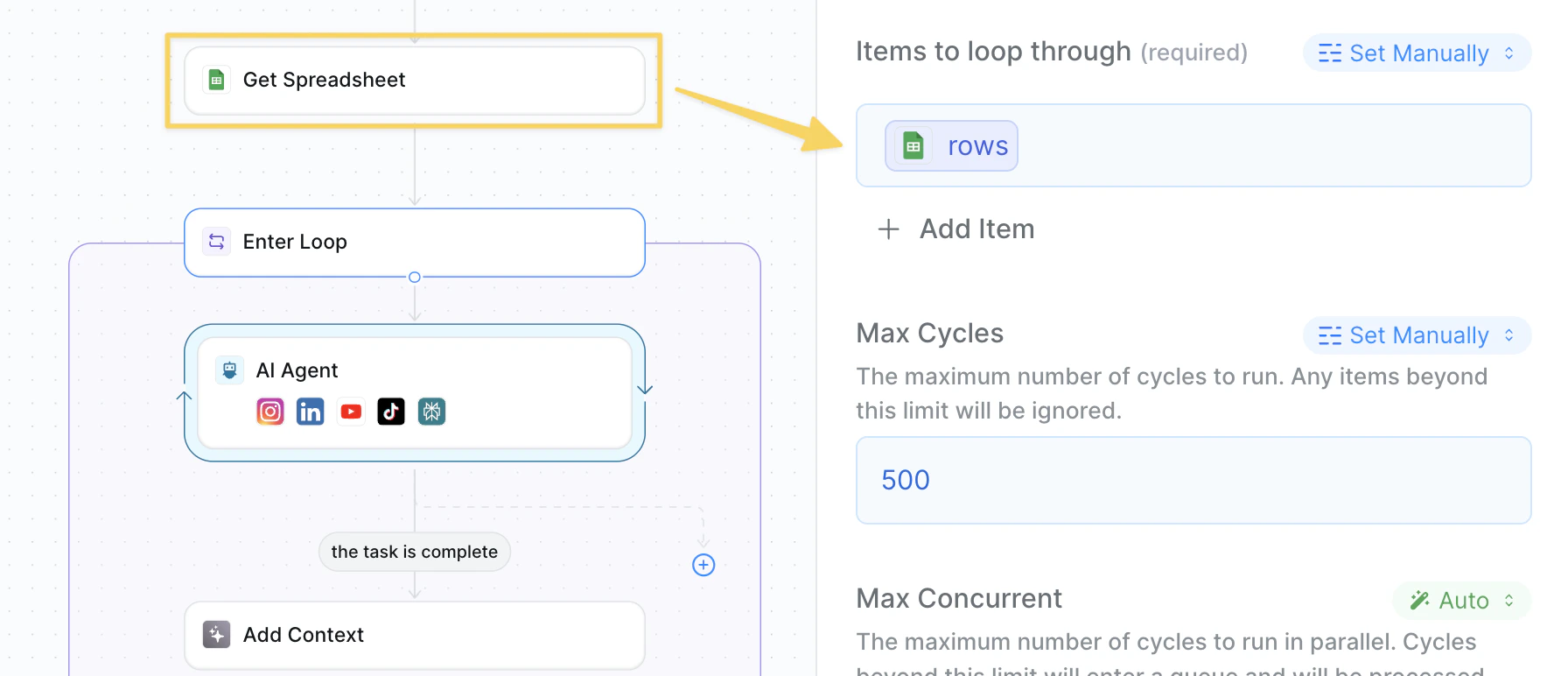
rows output reference from your Get Spreadsheet action to iterate through each competitor.
Step 4: Multi-Platform Analysis
Analyze competitor activity across all their social media and web platforms.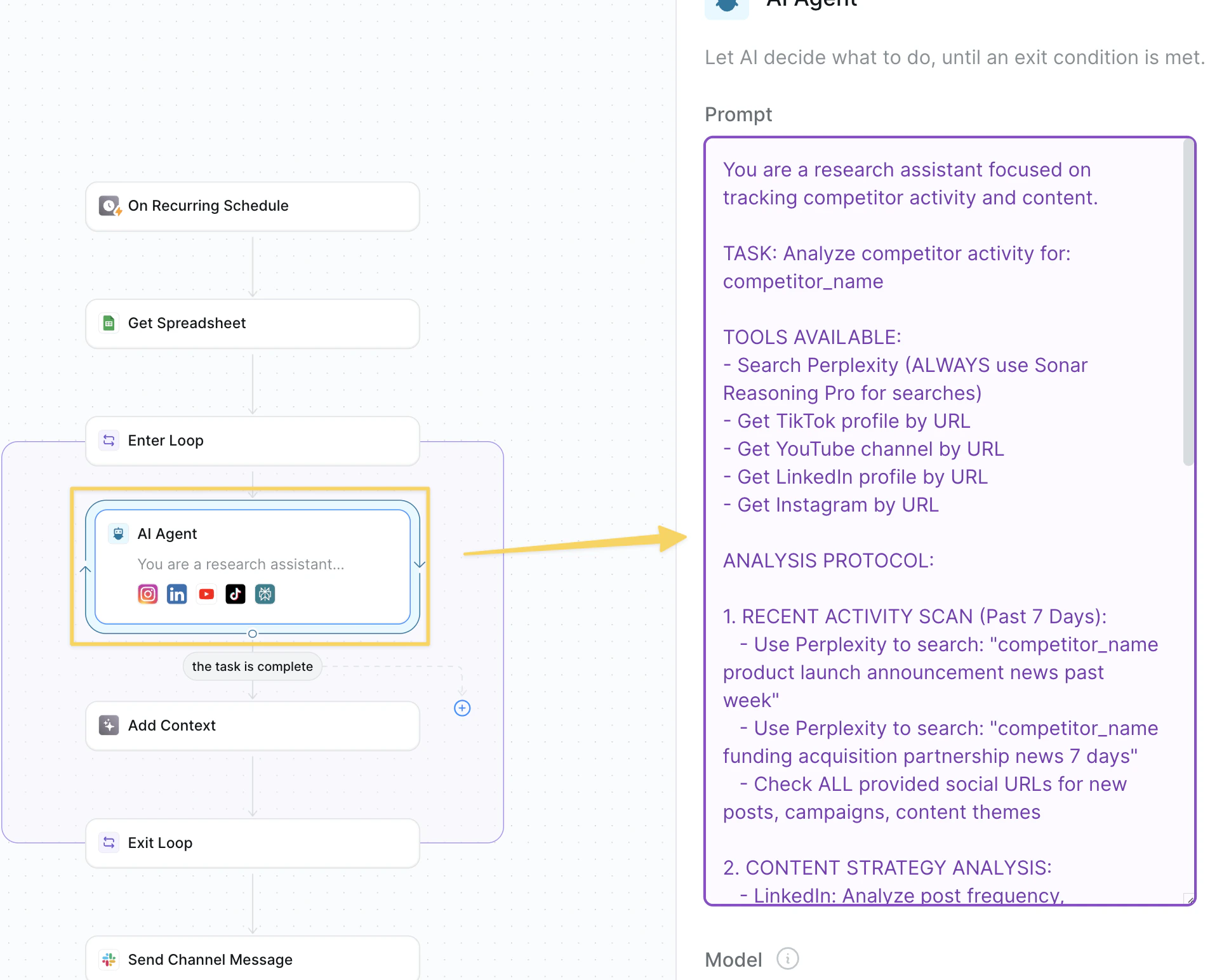
AI Agent – Competitor Research Assistant:
Step 5: Add Findings to Context
Compile and organize all gathered competitor research for the weekly report.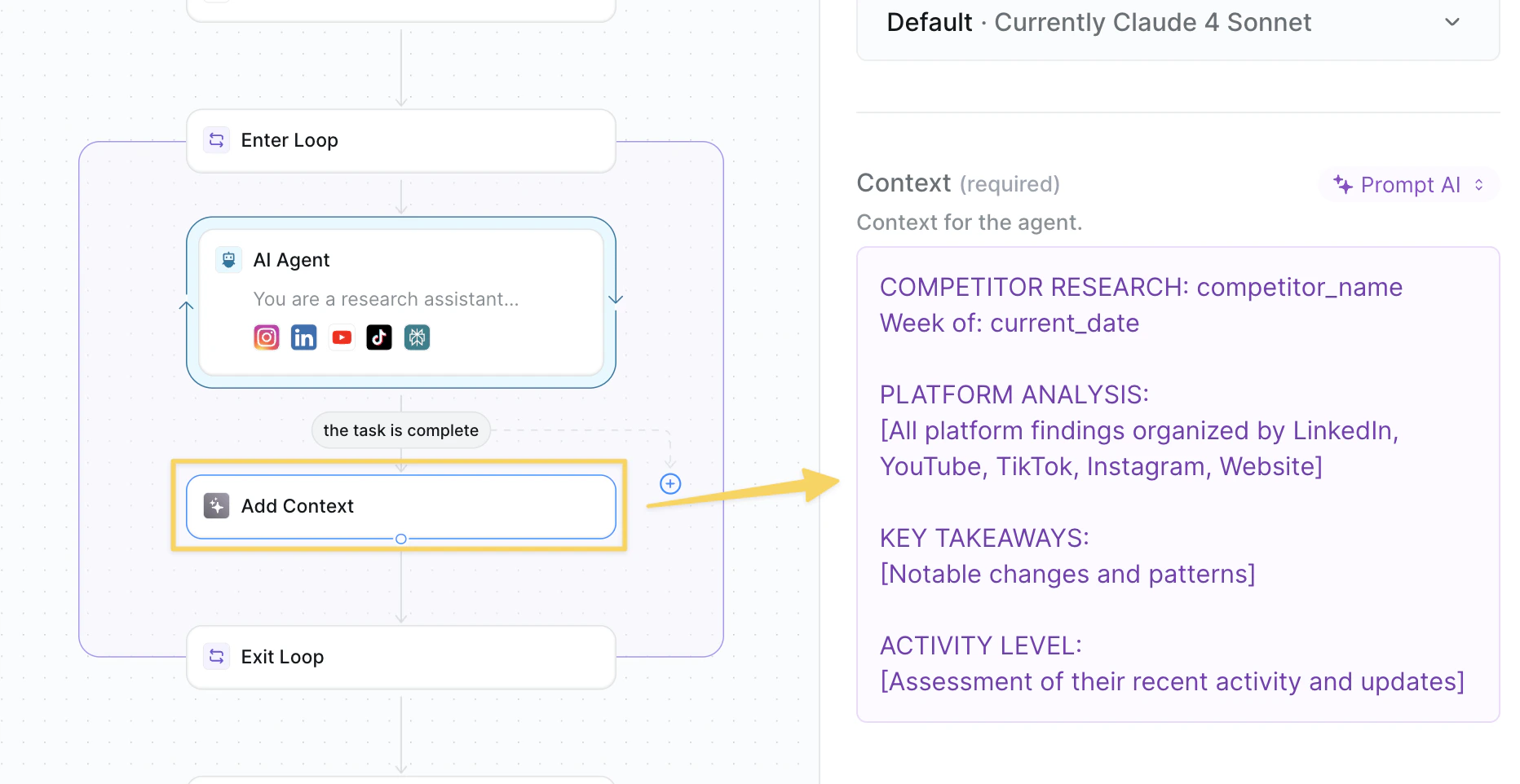
Add Context action with all discovered findings:
Step 6: Exit Analysis Loop
Complete competitor analysis and prepare comprehensive compilation.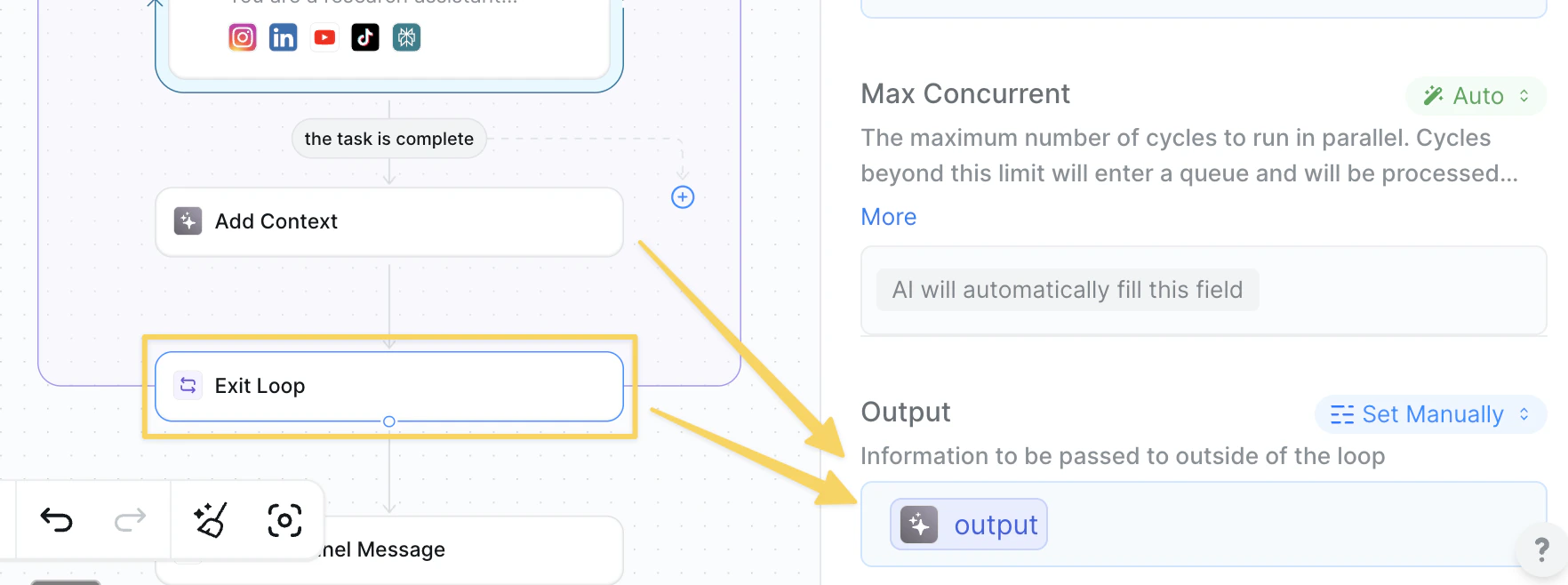
Exit Loop action and include the context variable to transfer all competitor research outside the loop for final report generation.
Step 7: Compile Weekly Report
Use AI to analyze all collected research and create a comprehensive weekly summary.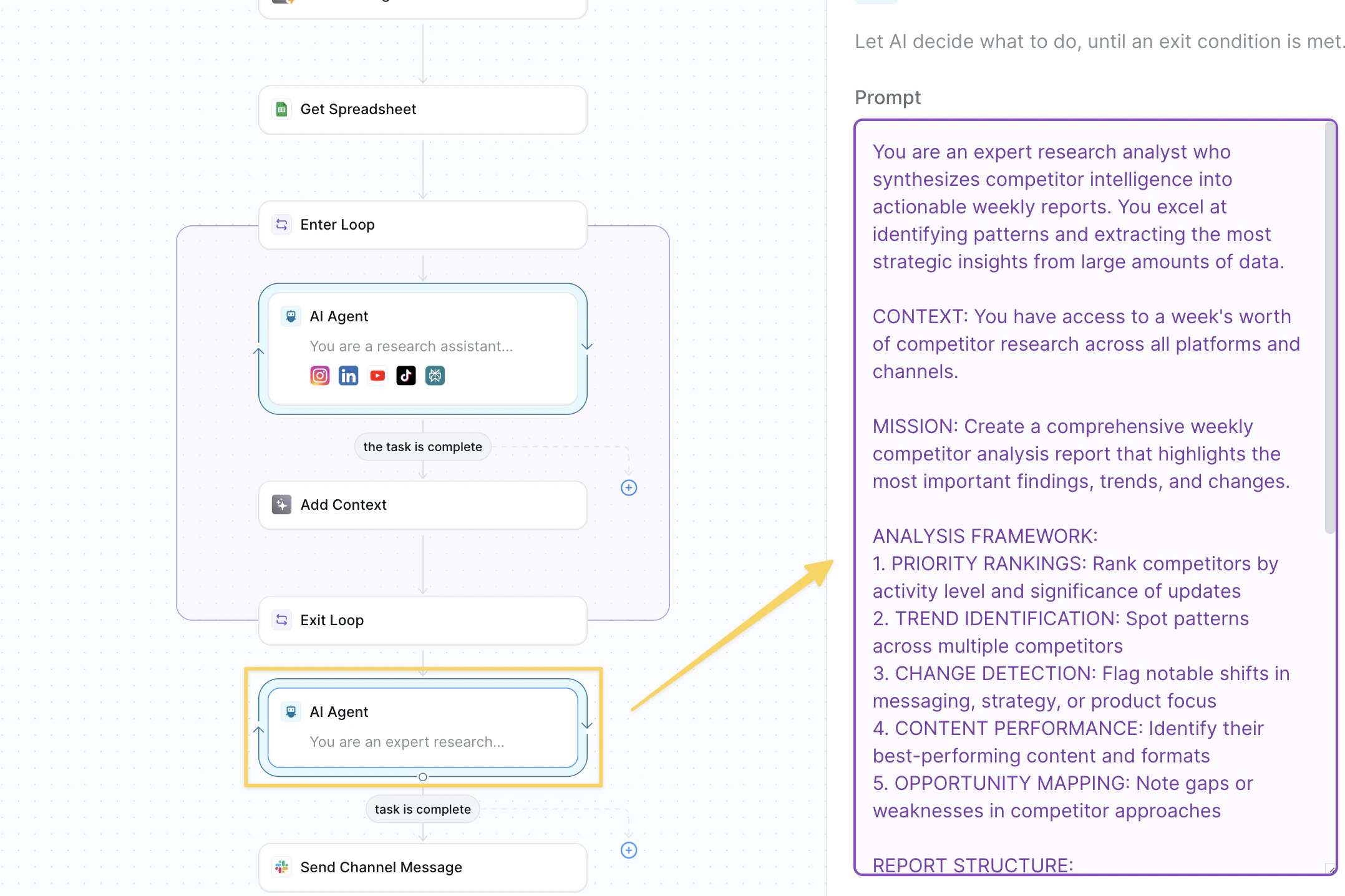
AI Agent – Weekly Report Compiler:
Step 8: Send Weekly Report
Send the compiled competitor research to your team.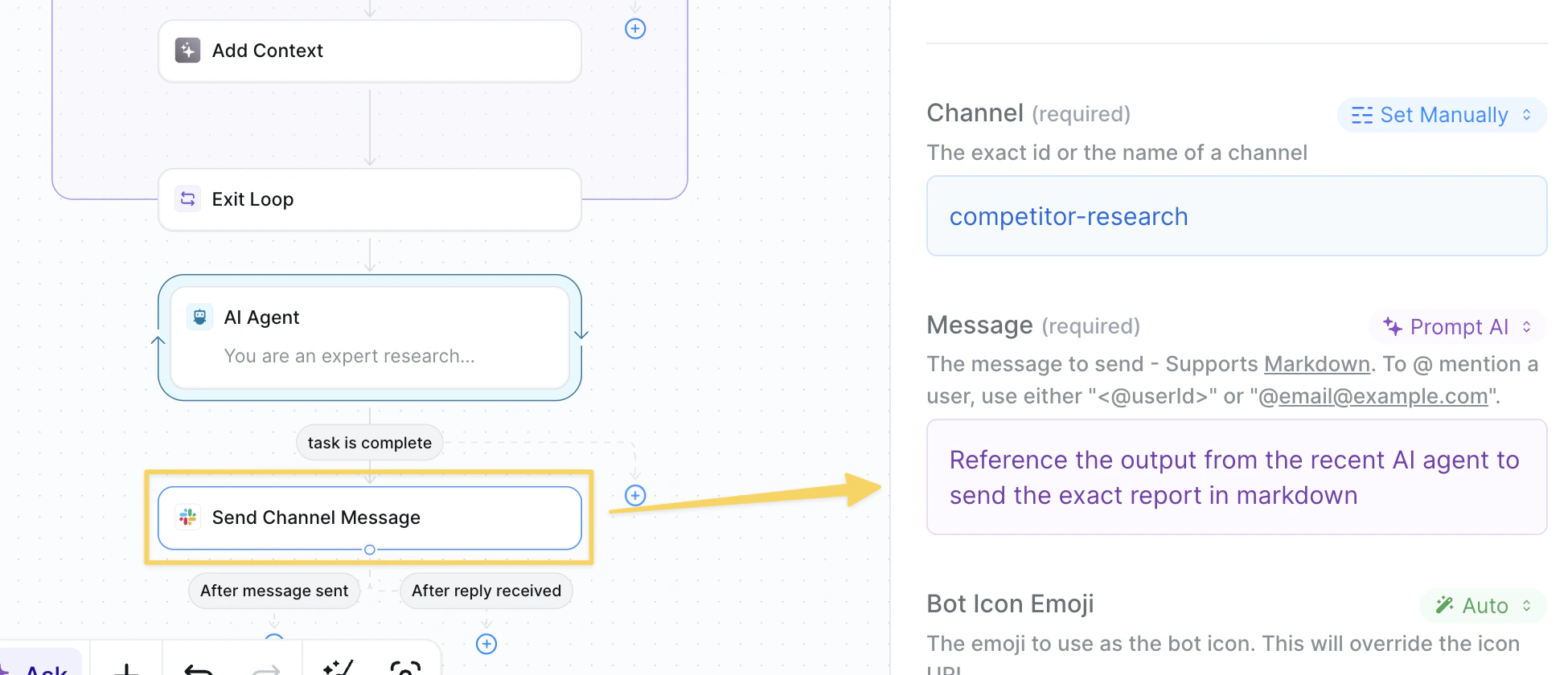
Slack – Send Message to your competitor tracking channel with the compiled report from Step 7:
Advanced Features
| Feature | What it does |
|---|---|
| Sentiment Analysis | Track brand sentiment changes across platforms |
| Engagement Benchmarking | Compare competitor engagement rates to industry standards |
| Content Performance Tracking | Identify their highest-performing content formats |
| Executive Monitoring | Alert when key leaders join/leave competitors |
| Campaign Detection | Flag new marketing campaigns or messaging shifts |
Best Practices
Focus on Meaningful Changes
Focus on Meaningful Changes
Look for significant updates like product releases or messaging changes rather than just engagement metrics.
Monitor Platform-Specific Trends
Monitor Platform-Specific Trends
Different platforms reveal different strategic insights.
Track Patterns Over Time
Track Patterns Over Time
Weekly snapshots build powerful trend analysis — save reports for quarterly strategic reviews.
Act on Intelligence
Act on Intelligence
Set up follow-up actions for high-priority opportunities or threats identified in reports.
Next Steps
Focus Group Simulator
Test your responses to competitor moves
Agent Steps
Build intelligent content analysis workflows
Knowledge Base
Store competitive intelligence data
Monitoring Your Agents
Track analysis performance and accuracy