

Documentation Index
Fetch the complete documentation index at: https://docs.lindy.ai/llms.txt
Use this file to discover all available pages before exploring further.
What are Templates?
Templates are pre-built workflows you can install as starting points for custom agents. They give you a working structure with common steps, integrations, and logic that you can adapt to your use case. Templates help you:- Get started quickly - Skip the initial setup and configuration
- Learn proven patterns - See how effective workflows are structured
- Save time - Build on proven patterns instead of starting from scratch
- Share knowledge - Distribute your workflows to help others
Where to Find Templates
Lindy Template Library
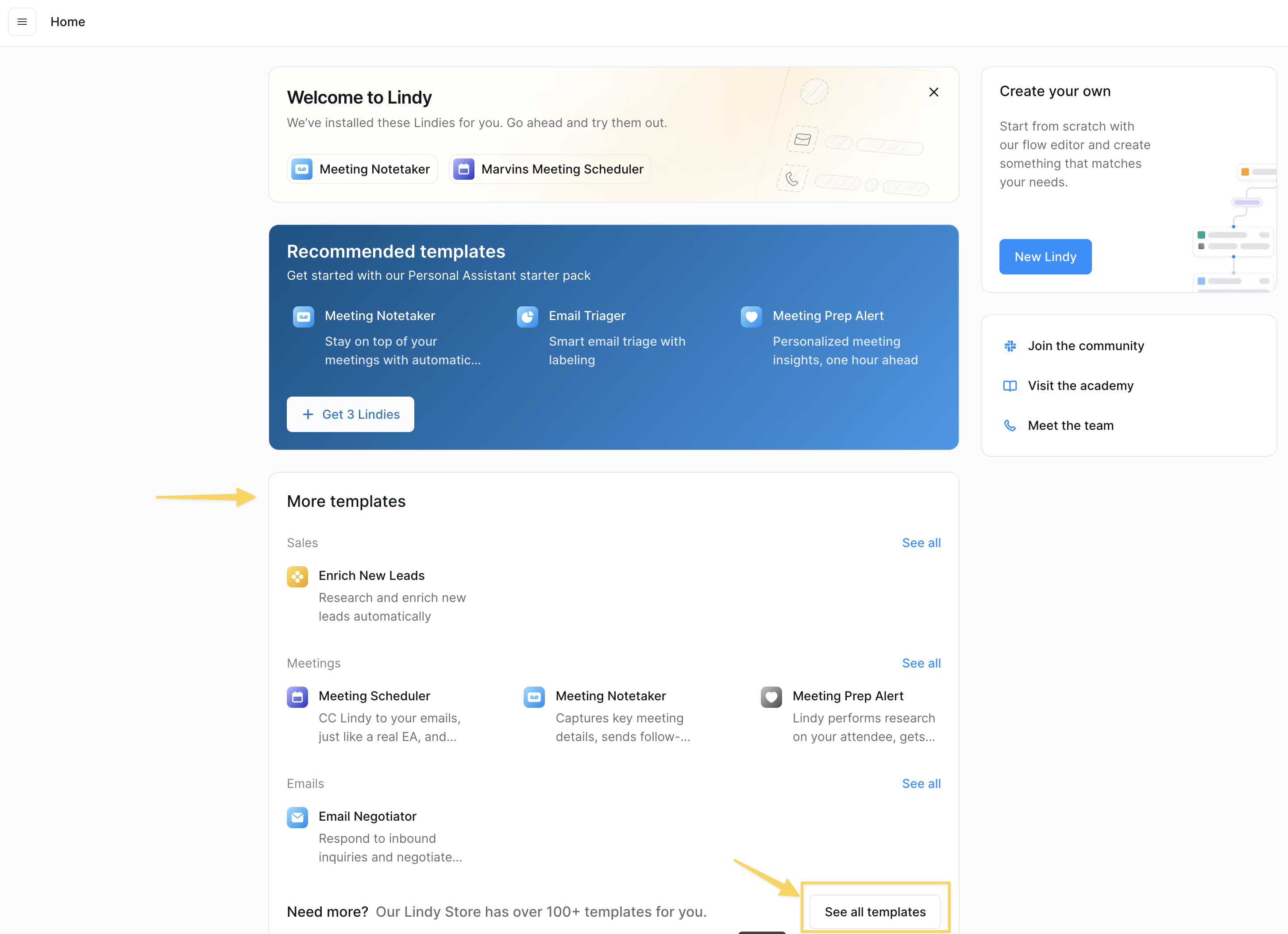
- Use Case - Email automation, sales, customer support, etc.
- Industry - Healthcare, SaaS, finance, etc.
- Complexity - Beginner, intermediate, advanced
- Popularity - Most used and highly rated templates
How to Install a Template
Step 1: Find Your Template
Navigate to the template you want to install. You can find templates through:- The Lindy template library (click “See all templates” at chat.lindy.ai/home)
- Direct links shared by community members
- Featured templates on the Lindy homepage
Step 2: Install the Template

- Click the “Add” button on the template page
- Configure any required settings (calendars, account connections, etc.)
- Click “Turn on” to complete the installation
Step 3: Customize for Your Needs
After installation, you can:- Modify triggers - Adjust when the workflow runs
- Update actions - Change what the workflow does
- Customize prompts - Tailor the AI behavior to your use case
- Add integrations - Connect additional tools and services
- Test and iterate - Run the workflow and make improvements
How to Create and Share Templates
Planning Your Template
Before creating a template, consider:- Target your audience - Consider who will use the template and their skill level
- Keep it focused - Build templates for specific use cases that can be customized
Building Your Template
-
Create the Workflow
- Build your workflow in the Flow Editor
- Test thoroughly with different scenarios
- Optimize prompts and conditions for reliability
-
Add Documentation
- Write clear setup instructions using notes or Step-by-Step Onboarding
- Include examples of expected inputs/outputs
-
Create Step-by-Step Onboarding (Optional)
- Use Step by Step Onboarding to guide users through setup
- Collect required configuration automatically
- Provide a smooth user experience
Sharing Your Template
Internal Sharing
- Share templates within your workspace for team use
- Create templates for common workflows your team needs
- Establish naming conventions and documentation standards
- Share templates in the Lindy community
- Include detailed documentation and use cases
- Be responsive to questions and feedback
Template Best Practices
- Name everything clearly - Use descriptive names for steps, conditions, and add helpful notes
- Test thoroughly - Verify your template works with different scenarios and edge cases
Next Steps
Browse Templates
Explore our template library
Quickstart Guide
Build your first custom workflow
Community
Share and discover templates with other Lindy users