

Documentation Index
Fetch the complete documentation index at: https://docs.lindy.ai/llms.txt
Use this file to discover all available pages before exploring further.
Overview
Lindy Phone transforms voice interactions into powerful automated workflows. Unlike traditional phone trees, Lindy Phone seamlessly connects to AI agents that can access your entire integration ecosystem - making API calls, searching the web, updating databases, and more — all during a live conversation.Every phone call in Lindy is automatically followed by an AI Agent node, enabling sophisticated tool integrations and dynamic responses based on the conversation.
How Lindy Phone Works
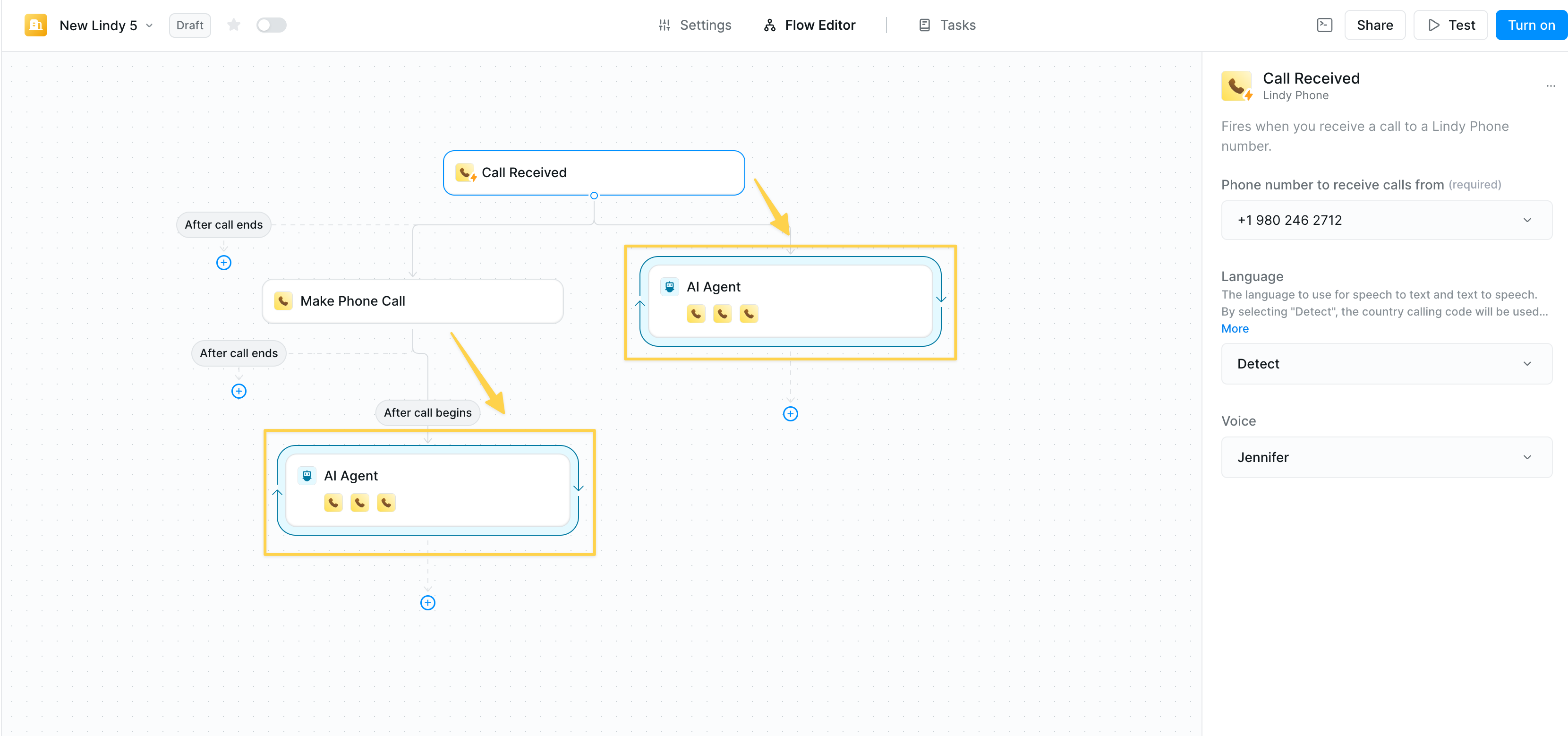
- Phone trigger (inbound) or action (outbound) initiates the call
- AI Agent node automatically follows with phone agent skills. The prompt dictates the behavior, and you can optionally add other skills like:
- Lindy integrations (Gmail, Slack, CRMs, etc.)
- Web browsing and search capabilities
- API connections
- Database operations
Setting Up Your AI-Powered Voice Agent
Step 1: Configure the AI Agent
After adding your phone trigger/action, the AI agent node appears automatically. Your prompt is the instruction for the phone agent, as that’s dictating the behavior on the phone. Essential configuration:- Prompt: Define your agent’s personality, objectives, and conversation guidelines
- Model: We recommend Gemini Flash for simple calls and Claude Sonnet for complex conversations
- Skills: Add any Lindy action as a skill your agent can use
Step 2: Add Agent Skills
Your voice agent can perform any action available in Lindy: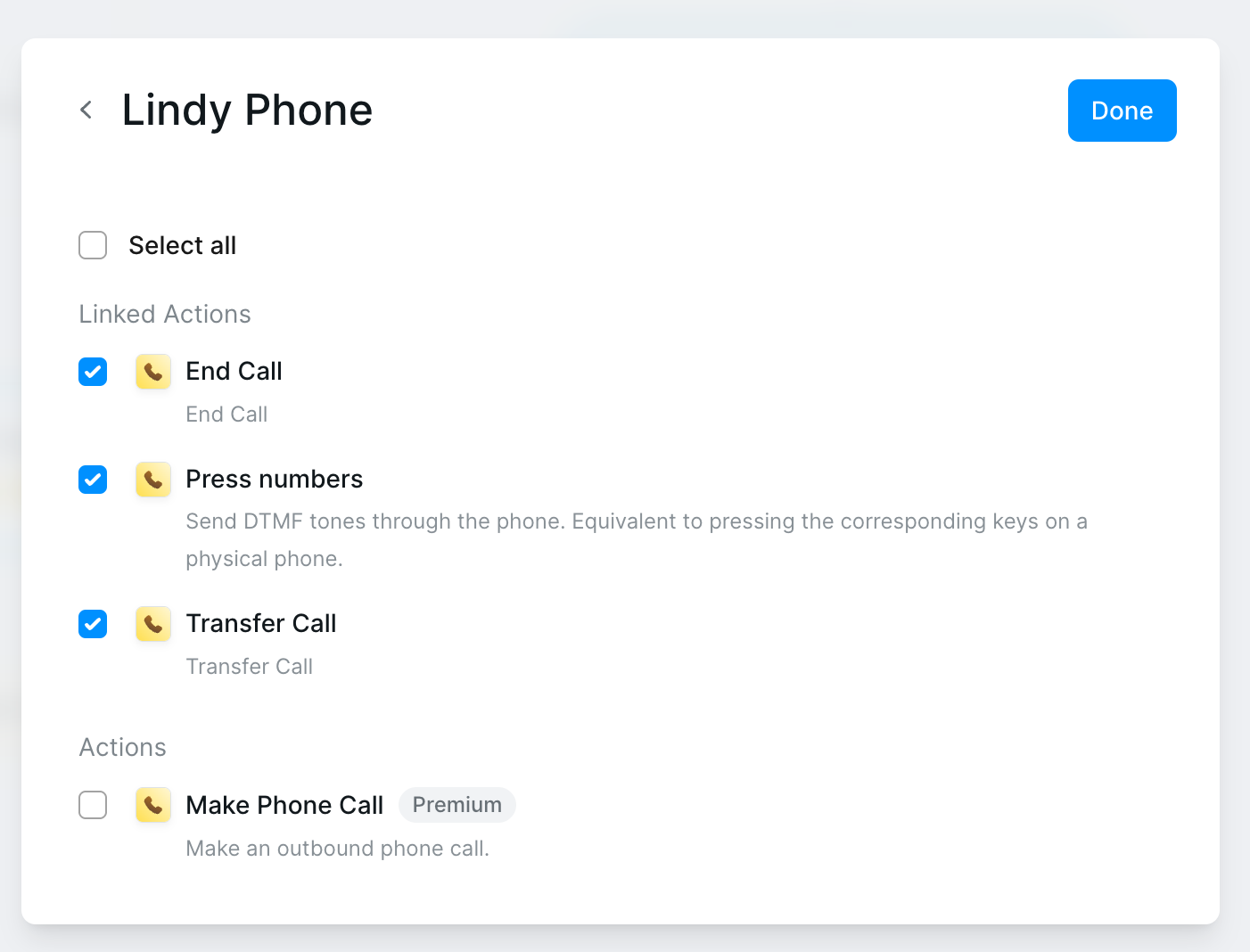
- End Call — Gracefully terminate conversations
- Press Numbers — Navigate phone trees
- Transfer Call — Route to humans or departments
Real Example Prompts
Smart Customer Support Agent
Smart Customer Support Agent
AI Sales Assistant
AI Sales Assistant
Appointment Scheduler
Appointment Scheduler
Configuration Options
- Languages
- Phone Numbers
- Voice Selection
Lindy Phone supports 30+ languages for global reach:
- English, Spanish, French, German
- Chinese (Mandarin/Cantonese)
- Japanese, Korean, Hindi, Arabic
- And 25+ more
Best Practices
Conversation Design
Conversation Design
- Keep prompts conversational and natural
- Plan for common scenarios and edge cases
- Include fallback responses
- Test with real users
Skill Selection
Skill Selection
- Only add skills the agent actually needs
- Group related actions logically
- Test each skill in isolation first
- Monitor usage patterns
Logging & Post-Call Actions
Logging & Post-Call Actions
- Use “After Call Ends” trigger to perform any logging or post-call actions
- Avoid trying to log or update records during the live conversation
- Set up follow-up emails or notifications after the call completes
- Process call transcripts and summaries post-call for better performance
Related Resources
Agent Steps
Deep dive into AI agent configuration
Phone Calls Guide
Detailed phone system documentation
Human in the Loop
Add approval steps to workflows
Knowledge Base
Give agents access to information